
The Complete Guide to Caveman
How to Cut Claude Code Token Usage Without Losing a Single Brain Cell

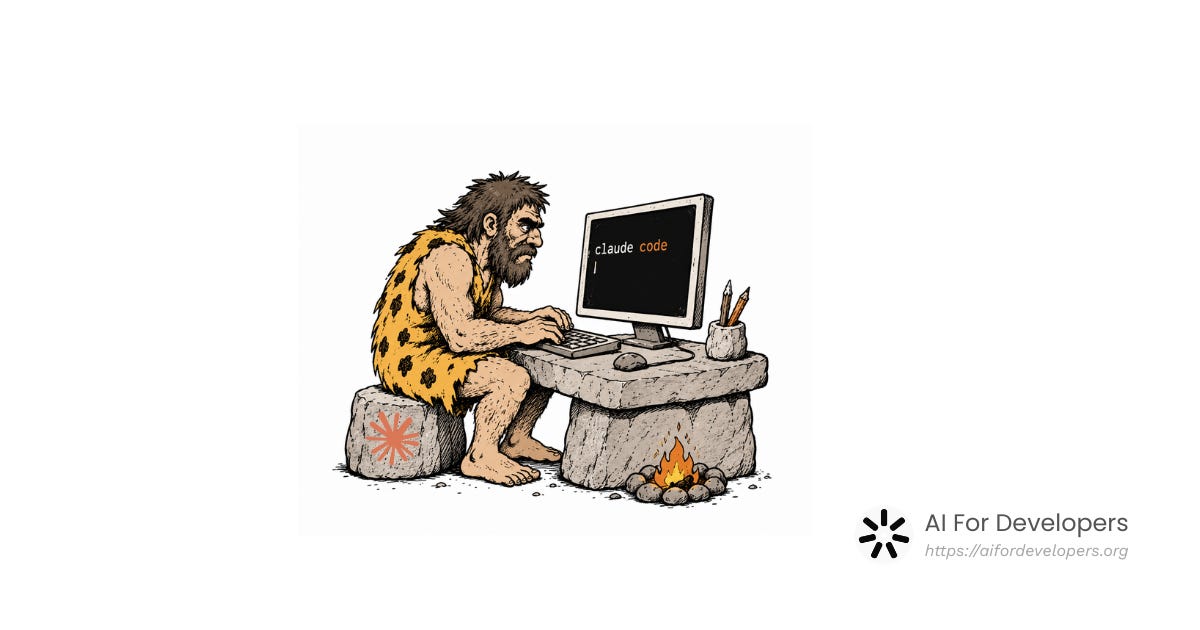
Someone posted on Reddit earlier this year with the title: Taught Claude to talk like a caveman to use 75% less tokens. Most people assumed it was a joke. It got 10,000 upvotes. Half the comments were laughing. The other half were already installing it.
I installed it too. And after a few weeks of actual daily use, I think the joke is hiding something genuinely worth understanding — not just as a productivity trick, but as a signal about where AI-assisted development is heading.
Let me break it down properly.
What Caveman is and what it isn’t
Caveman is a plugin for Claude Code, built by a developer named Julius Brussee. The premise is disarmingly simple: it makes Claude respond in compressed, telegraphic language. No articles. No pleasantries. No Great question! Let me explain that for you. Just the answer, stripped to bone.
Here’s the same response to fix the null check on line 42 — before and after:
Normal Claude:
The issue you’re seeing on line 42 is that we’re not checking whether the user object exists before trying to access its properties. I’ll add a null guard there to make sure we handle that case safely. Here’s what I changed and why it should fix the problem you were experiencing...
Caveman mode:
L42: null guard added.
user?.name— safe now. Done.
The code fix is identical. The logic is the same. What changed is the verbal packaging around it and that packaging is pure cost. Tokens you pay for, latency you wait through, context window you burn, all without getting a better answer.
What makes Caveman interesting is what it doesn’t touch: reasoning and thinking tokens. The model still thinks the same way. It just stops narrating the thinking out loud. Brain still big. Mouth small.
Installing it
The standard way (Claude Code plugin)
Open your terminal and run two commands:
claude plugin marketplace add JuliusBrussee/caveman
claude plugin install caveman@caveman
Restart Claude Code and you’ll see a small [CAVEMAN] ⛏ badge in the statusline confirming it loaded. Done.
If the first command hangs: don’t kill it. It’s fetching from GitHub and can take 30–40 seconds on a slow connection. If it keeps failing, skip to the curl installer below, it’s more reliable.
Windows (without WSL2)
Use PowerShell:
irm https://raw.githubusercontent.com/JuliusBrussee/caveman/main/install.ps1 | iexThe universal installer (recommended if you use multiple agents)
If you work across Claude Code, Cursor, Codex, Gemini CLI, Cline, or Copilot, this one command auto-detects all of them and installs Caveman for each:
# macOS / Linux / WSL
curl -fsSL https://raw.githubusercontent.com/JuliusBrussee/caveman/main/install.sh | bash
It skips agents you don’t have installed and is safe to re-run. Takes about 30 seconds. Needs Node ≥18. Full per-agent details are in the INSTALL.md.
No plugin system? Use CLAUDE.md
You can get most of the benefit without installing anything at all. Add these lines to your global CLAUDE.md file (or your project’s CLAUDE.md):
## Communication Style
Respond like a caveman. No articles, no filler words, no pleasantries. Short. Direct. Code speaks for itself.
This works on any agent that reads context files — Cursor, Cline, Copilot. Less structured than the full plugin, but surprisingly effective.
Using it: the six modes
Once installed, you activate Caveman inside Claude Code with /caveman. There are six intensity levels, and switching between them mid-session is completely fine:
Command What it does When to use it /caveman lite Drops pleasantries and filler only. Full grammar stays. Exploring unfamiliar code, learning something new /caveman Default. Fragment sentences, articles dropped. The everyday workhorse for most developers /caveman full Same as default, just explicit. When you want to be sure it’s fully on /caveman ultra Maximum compression. Notes-like, heavy abbreviations. Deep-flow sessions where you know the domain cold /caveman wenyan Classical Chinese compression patterns — the most token-efficient written form humans ever developed. Mostly a curiosity; impractical for most English-language work /caveman off Back to normal Claude for the rest of the session. When you’re genuinely lost and need full explanations
One behavior worth knowing: Caveman pauses automatically if it detects you’re confused or asking the same question twice. It temporarily switches back to fuller explanations, then resumes compression once you’re back on track. You don’t manage this manually — it just works.
Matching the mode to the task
This is where most people go wrong. They crank it to ultra on day one, find the responses hard to parse, and abandon it.
Use lite when you’re debugging something unfamiliar or working in a part of a codebase you don’t know well. The grammar stays readable, and you’ll still catch things you might miss in terse output. Use full or ultra when you’re deep in flow, refactoring, writing tests, making mechanical changes — where you already know what a correct response looks like and you’re just validating. The goal is compression you don’t have to fight.
The full feature set (beyond the basic compression)
Most write-ups only cover /caveman. Here’s everything that ships with it.
Caveman Compress — the more important feature
/caveman-compress is a separate tool that rewrites your CLAUDE.md memory file into caveman-speak. This is actually more valuable than the output compression for heavy users.
/caveman-compress path/to/CLAUDE.mdWhy it matters: Claude has no persistent memory between sessions. It reloads everything — your CLAUDE.md, project notes, preference files — from disk at the start of every conversation. Making those files smaller directly reduces the input tokens you burn before you’ve typed a single word. Caveman Compress cuts input tokens by roughly 46% while saving a human-readable backup as FILE.original.md. Code, URLs, and paths are preserved byte-for-byte.
For teams running long sessions or multi-agent pipelines, this is where the real economics are.
The CaveCrew subagents
Caveman ships with a set of specialized subagents that handle specific tasks and return caveman-compressed results back to your main context:
cavecrew-investigator— read-only code locator. Use it for “where is X defined”, “what calls Y”, “list all uses of Z”. Returns afile:linetable, caveman-compressed, so the main thread consumes ~60% fewer tokens than vanilla Explore would.cavecrew-builder— surgical 1–2 file editor. Typo fixes, single-function rewrites, mechanical renames. Hard refuses 3+ file scope. Returns a caveman diff receipt.cavecrew-reviewer— diff review. Runs an adversarial pass on your changes.
You trigger them with: delegate to subagent, use cavecrew, or spawn investigator/builder/reviewer. The main benefit isn’t just the compression — it’s that offloading discrete tasks to subagents keeps your main context clean and lets complex sessions run significantly longer.
/caveman-commit
Generates Conventional Commits-formatted commit messages automatically. Subject line stays under 50 characters. Body only appears when the “why” isn’t obvious from the diff. Auto-triggers when you stage changes, or you can call it with /caveman-commit.
For developers who write commit messages like fix stuff or updates, this alone is worth the install.
/caveman-review
One-line PR comments with location references: L42: bug — user null, add guard. Useful for fast review passes where you want to flag issues without writing a novel on each one.
caveman-shrink (MCP middleware)
An npm package that wraps any MCP server and compresses its tool descriptions before they’re loaded into context. Tool descriptions are surprisingly token-heavy, and most developers never think about them. If you’re using multiple MCP tools in your Claude Code setup, this is an easy win.
npm install -g caveman-shrinkWhere the savings actually land — the honest numbers
Let’s cut through the marketing for a second.
The 75% figure applies to output text compression, and it’s real — benchmarks from the repo show 22–87% savings across prompts, averaging around 65%. But output prose is only about 6% of a typical 100k-token Claude Code session. The rest is conversation history, file contents, system prompts, and tool descriptions — all input tokens.
So the math on a typical heavy session looks something like this:
Token category Share of session Caveman impact Output prose ~6% ~65% reduction CLAUDE.md and memory files ~10–15% ~46% reduction (with Compress) Tool descriptions (MCP) ~5–10% reduced with caveman-shrink Conversation history + file reads ~70%+ not affected Overall session savings ~4–15% realistic
At $200/month of Claude Code usage, 4–15% is $8–30/month. Not life-changing. But Caveman is free, takes 60 seconds to install, and the speed improvement from shorter responses is real regardless of cost. Responses come back faster. Sessions run longer before hitting context limits. That’s the part most people actually care about after using it for a week.
What’s going on under the hood
Caveman is a SKILL.md file — a structured instruction set that tells the model to change its communication style. When you install the plugin, it writes hook files that fire at the start of each Claude Code session (via the SessionStart and UserPromptSubmit hooks), so caveman mode activates from message one without you triggering it manually.
The reason it works is something subtle about training. Models like Claude are optimized to be helpful, thorough, and clear — which in practice means they’ve learned to pad responses with acknowledgment, context-setting, caveats, and sign-offs. None of that is the answer. It’s packaging around the answer. Caveman simply tells the model to drop the packaging. The model doesn’t get dumber. It just stops narrating.
The hooks also write a small flag file each session that the model reads to confirm it should stay in caveman mode — so it doesn’t revert between turns.
What this actually teaches us about AI
Caveman is funny. The branding is intentional. But the underlying lesson is genuinely interesting, and worth sitting with.
Verbosity isn’t intelligence. A March 2026 arXiv paper — “Brevity Constraints Reverse Performance Hierarchies in Language Models” — found that constraining large models to brief responses improved accuracy by 26 percentage points on certain benchmarks. Shorter wasn’t just cheaper. It was more accurate. Verbose models make more mistakes because elaboration gives them more surface area to go wrong on. We’ve been equating word count with quality. That assumption is wrong at least some of the time — possibly a lot of the time.
AI behavior is a design surface. The most interesting thing about Caveman isn’t the compression — it’s that one SKILL.md file meaningfully changes how an AI communicates across an entire session. We’re at a moment where the behavioral layer of AI tools is becoming something you can shape, customize, and compose. Caveman sits at the head of a growing ecosystem: Cavekit for spec-driven development, caveman-code as a full terminal coding agent with compression baked in end-to-end. The model doesn’t change. The interface between you and the model does. That gap is where a lot of the next wave of tooling is going to live.
The compression becomes mutual. This one surprised me. Developers who use Caveman regularly start prompting differently — shorter, more precise, no throat-clearing. If the agent is responding in fragments, you naturally start writing in fragments too. The session gets faster and tighter, more like pair programming with someone who doesn’t waste your time. That’s not a side effect. That might be the main value.
More from AI For Developers
This newsletter is part of AI For Developers — a growing directory of AI developer tools, APIs, frameworks, and resources. If you’re evaluating tools for your stack or just want to stay on top of what’s out there, check it out:
🔗 AI For Developers — Browse the directory
📬 AI For Developers newsletter — Subscribe to the newsletter
Every issue covers one topic in depth — no fluff, no hype, just the stuff you need to build with AI. Subscribe if you haven’t already, and I’ll see you in the next one.
Even AI thinks the old version of us doing that better